Git Interview Questions for PHP/Laravel Developers
124 people viewed this
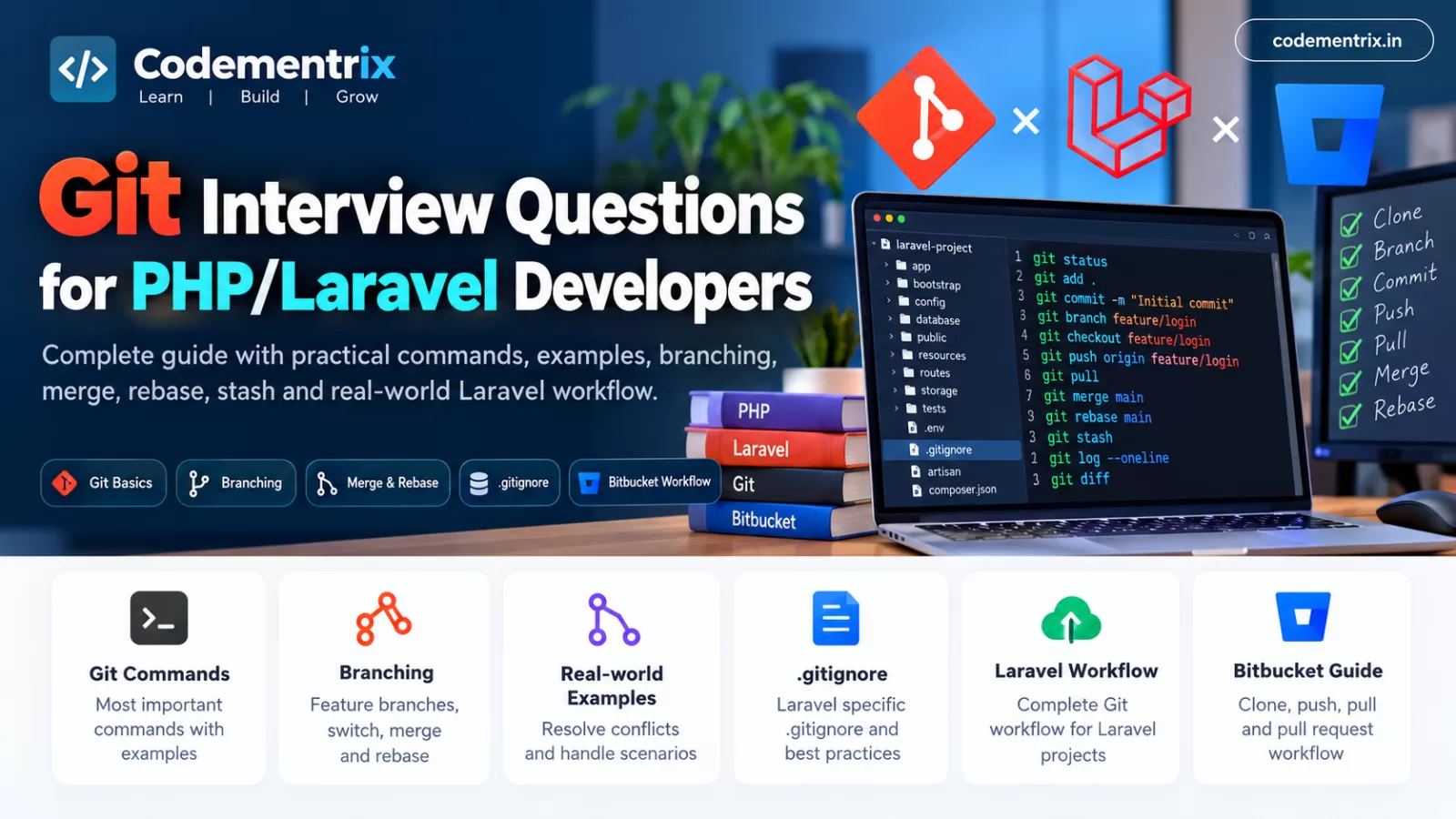
Git Interview Questions for PHP/Laravel Developers
If you are preparing for a PHP Developer, Laravel Developer, or Backend Developer interview, Git is one of the most important tools you should understand.
In almost every real-world software project, multiple developers work on the same application. One developer may work on authentication, another on payment integration, and another on bug fixes. Without version control, managing these changes would become extremely difficult.
Git solves this problem by allowing developers to track code changes, create branches, collaborate with team members, review code, and restore previous versions when necessary.
But simply knowing commands such as git push and git pull is not enough for a technical interview. Interviewers often ask:
- What is Git?
- What is the difference between Git and Bitbucket?
- What is staging?
- What is the difference between merge and rebase?
- What is Git stash?
- How do you resolve a merge conflict?
- What is the difference between reset and revert?
- Should
.envbe committed? - How do you manage a Laravel project using Git?
This article explains these concepts with practical examples so you can understand both the concept and how it is used in a real PHP/Laravel project.
Table of Contents
- What is Git?
- Why do PHP/Laravel developers use Git?
- Git vs GitHub vs Bitbucket
- How Git works
- git init
- git clone
- git status
- git add
- git commit
- git push
- git pull
- git fetch
- Git branches
- git switch and git checkout
- git merge
- git rebase
- Merge vs Rebase
- git stash
- git log
- git diff
- git remote
- .gitignore in Laravel
- Why should .env not be committed?
- Git merge conflicts
- Reset vs Revert vs Restore
- git cherry-pick
- git reflog
- Bitbucket workflow
- Complete Laravel Git workflow
- Real-world Git interview scenarios
- Git interview questions and answers
- Git command cheat sheet
- Conclusion
1. What is Git?
Git is a distributed version control system. It is used to track changes in source code and allows multiple developers to work on the same project.
Simple Example
Suppose you are developing a Laravel pharmacy management system. Today you create a customer module:
app/Models/Customer.php
app/Http/Controllers/CustomerController.php
resources/views/customers/index.blade.php
You commit those changes:
git add .
git commit -m "Add customer management"
Two days later, you modify the same module and accidentally introduce a bug. Because Git has the previous commit, you can inspect the history and understand what changed.
git log --oneline
This is the basic purpose of Git: track and manage changes to your project over time.
Interview Answer
Q: What is Git?
Git is a distributed version control system used to track source-code changes, maintain project history, create branches, and support collaboration between developers.
2. Why do PHP/Laravel developers use Git?
Imagine five Laravel developers working on the same project:
- Developer 1 → Authentication
- Developer 2 → Payment gateway
- Developer 3 → Reports
- Developer 4 → Bug fixes
- Developer 5 → Admin dashboard
If everyone directly modifies the same production code, it becomes difficult to know who changed what.
Git allows each developer to work on a separate branch:
feature/authentication
feature/payment
feature/reports
bugfix/invoice
feature/admin-dashboard
After development and review, these branches can be integrated according to the team's workflow.
Git helps with:
- Version control
- Branch-based development
- Team collaboration
- Code review
- Bug fixing
- Rollback and recovery
- Release management
- Deployment workflows
3. Git vs GitHub vs Bitbucket
This is a very common interview question.
| Technology | Meaning | Example |
|---|---|---|
| Git | Version control system | git commit, git branch |
| GitHub | Platform for hosting Git repositories | Repository hosting and Pull Requests |
| Bitbucket | Platform for hosting Git repositories and collaboration | Repository, Pull Request, code review |
The easiest way to remember it:
Git       = Version Control System

GitHub    = Git hosting/collaboration platform

Bitbucket = Git hosting/collaboration platform
Interview Answer
Git is the version control system, while GitHub and Bitbucket are platforms that can host Git repositories and provide collaboration features.
4. How does Git work?
Git can be understood using three main areas:
1. Working Directory
This is where you modify your project files.
2. Staging Area
This contains changes that you have selected for the next commit.
3. Local Repository
This contains your committed project history.
The basic flow is:
Working Directory
       |
       | git add
       v
Staging Area
       |
       | git commit
       v
Local Repository
       |
       | git push
       v
Remote Repository
Laravel Example
Suppose you modify:
app/Http/Controllers/ProductController.php
First check the status:
git status
Stage the file:
git add app/Http/Controllers/ProductController.php
Commit it:
git commit -m "Update product search"
Push it:
git push
5. What is git init?
git init initializes a new Git repository in the current directory.
git init
Example
mkdir laravel-demo
cd laravel-demo

git init
Git creates a hidden .git directory.
The .git directory contains Git's internal repository information, including references and history.
You normally should not manually modify files inside .git.
Interview Answer
git init initializes a new local Git repository in the current directory.
6. What is git clone?
git clone copies an existing remote Git repository to your local machine.
git clone https://example.com/laravel-project.git
Real-world Laravel Example
Suppose you join a company and the Laravel project is already stored in Bitbucket.
You don't need to create a new project with git init. Instead, clone the existing repository:
git clone <bitbucket-repository-url>

cd laravel-project

composer install
Now you have the project locally.
Interview Answer
git clone is used to create a local copy of an existing remote Git repository.
7. What is git status?
git status shows the current state of your Git working directory and staging area.
git status
Example
Suppose you create:
app/Services/PaymentService.php
Then run:
git status
Git may show the file as untracked.
After:
git add app/Services/PaymentService.php
the file becomes staged.
Why is this important?
Before every commit, git status is useful for checking exactly what you are about to commit.
8. What is git add?
git add moves changes into the staging area.
git add app/Models/Product.php
You can stage multiple files:
git add app/Models/Product.php
git add app/Http/Controllers/ProductController.php
Or all eligible changes:
git add .
Important Interview Point
git add does not create a commit. It only stages the selected changes.
git add .
        ↓
Staging Area

git commit
        ↓
Repository
9. What is git commit?
A commit stores staged changes in the local Git repository.
git commit -m "Add product management"
Good Commit Message
git commit -m "Add product stock validation"
Bad Commit Message
git commit -m "changes"
git commit -m "update"
git commit -m "done"
A good commit message should communicate what was changed.
Laravel Example
git add app/Services/PaymentService.php

git commit -m "Add payment transaction service"
10. What is git push?
git push sends local commits to a remote repository.
git push origin main
For a feature branch:
git push origin feature/payment
When pushing a new branch for the first time:
git push -u origin feature/payment
After the upstream relationship is established, future pushes can often be:
git push
Important Point
Commit saves changes locally. Push sends those commits to the remote repository.
11. What is git pull?
git pull gets changes from a remote repository and integrates them into your current branch according to the configured pull behavior.
git pull origin main
Laravel Example
Suppose another developer has already pushed changes to the develop branch.
Before starting your work, you can update your local branch:
git switch develop
git pull origin develop
Now your local branch can contain the latest remote changes.
12. What is git fetch?
git fetch downloads information from the remote repository without automatically integrating those changes into your current branch.
git fetch origin
You can then inspect the remote branch:
git log origin/main --oneline
Pull vs Fetch
git fetch
    ↓
Download remote updates
    ↓
You inspect them
    ↓
You decide how to integrate them
Whereas git pull performs the fetch and then integrates the updates according to your configuration.
13. What is a Git branch?
A branch represents an independent line of development.
Laravel Example
Suppose the current production code is on:
main
You need to create a login feature. Instead of modifying main directly:
git switch -c feature/login
Now you can safely develop the login feature.
Typical branches might look like:
main
develop
feature/login
feature/payment
feature/reports
bugfix/invoice
hotfix/payment-error
Why use branches?
Branches isolate work. A developer can work on a feature without directly changing the shared branch used by other developers.
14. git switch vs git checkout
Git provides git switch specifically for branch switching and creation.
git switch main

git switch feature/login
Create and switch:
git switch -c feature/payment
You will also see the older and more general git checkout command in many projects:
git checkout main
git checkout -b feature/payment
For interviews, it is useful to understand both because existing projects may still use checkout.
15. What is git merge?
Merge combines changes from one branch into another branch.
Example
Suppose you have:
main
feature/login
The login feature is complete. Switch to the target branch:
git switch main
Then merge:
git merge feature/login
The changes from feature/login are now integrated into main.
Simple Diagram
Before:

main:    A---B---C
              \
feature:       D---E


After merge:

main:    A---B---C-------M
              \         /
feature:       D---E-----
Depending on the history and Git options, the merge may be fast-forward or may create a merge commit.
16. What is git rebase?
Rebase moves or reapplies commits onto another base commit.
Example
git switch feature/login
git rebase main
Suppose the history initially looks like:
main:     A---B---C
               \
feature:        D---E
After rebasing:
main:     A---B---C
                   \
feature:            D'---E'
The feature commits are reapplied on top of the latest main branch.
Why use rebase?
One reason is to maintain a more linear project history.
However, rebase rewrites the affected commit history, so developers should be careful when rebasing commits that have already been shared with others.
17. Git Merge vs Git Rebase
| Merge | Rebase |
|---|---|
| Combines branch histories | Replays commits on a new base |
| Can create a merge commit | Usually creates a linear history |
| Does not require rewriting the existing branch history in the same way | Rewrites the rebased commits |
| Often straightforward for shared branches | Requires more care with shared branches |
Interview Question
Q: When should you avoid rebasing a shared branch?
Because rebase rewrites commit history, rebasing commits that other developers already depend on can create synchronization problems.
A common workflow is to use rebase on your own feature branch when appropriate, then share the resulting history according to the team's Git policy.
18. What is git stash?
Imagine you are developing a Laravel payment module. You have changed several files but your work is not finished.
Suddenly, your manager asks you to fix an urgent production issue. You need to switch branches, but you don't want to commit incomplete work.
You can use:
git stash
Your local changes are temporarily stored and your working directory is cleaned according to what Git stashes.
Now switch branches:
git switch main
After fixing the urgent issue, return to your feature branch:
git switch feature/payment
Restore the stashed changes:
git stash pop
Useful commands
git stash
git stash list
git stash pop
git stash apply
git stash drop
Interview Answer
Git stash temporarily stores local changes so that you can switch branches or perform another task without committing unfinished work.
19. What is git log?
git log displays commit history.
git log
A compact format is easier to read:
git log --oneline
Example:
a82d921 Add payment validation
7bc32fa Add customer API
c92a111 Fix invoice calculation
You can also display a graphical history:
git log --oneline --graph --all
Laravel Use Case
Suppose a payment calculation worked last week but is failing now. Git history can help identify which commits changed the relevant code.
20. What is git diff?
git diff shows changes that have not been staged.
git diff
For staged changes:
git diff --staged
Why is this useful?
Suppose you accidentally changed a Laravel controller and also modified a configuration file. Before committing, you can run:
git diff
This allows you to inspect exactly what changed.
21. What is git remote?
A remote represents a remote Git repository.
Check configured remotes:
git remote -v
Add a remote:
git remote add origin <repository-url>
The name origin is a conventional name. It is not a special mandatory keyword; other remote names can be used.
22. What is .gitignore in Laravel?
The .gitignore file specifies files and directories that Git should normally not track.
Typical Laravel entries
/vendor/
/node_modules/
/public/build/
/.env
.env
.env.*
!.env.example
Why is vendor ignored?
Laravel uses Composer for PHP dependencies.
composer install
The dependencies are installed from the project's Composer files. Therefore, the generated vendor directory is normally not committed.
Why is node_modules ignored?
JavaScript dependencies can be installed using:
npm install
Therefore, node_modules is normally generated locally rather than committed to the repository.
23. Why should .env not normally be committed?
Laravel's .env file can contain environment-specific configuration and sensitive credentials.
For example:
APP_KEY=base64:xxxxxxxx

DB_HOST=127.0.0.1
DB_DATABASE=laravel
DB_USERNAME=root
DB_PASSWORD=secret

AWS_ACCESS_KEY_ID=xxxxxxxx
AWS_SECRET_ACCESS_KEY=xxxxxxxx
These values should generally not be exposed through a source-code repository.
Instead, commit:
.env.example
A developer can create their local environment file:
cp .env.example .env

php artisan key:generate
Important: Adding a leaked secret to .gitignore does not remove it from Git history. If credentials are accidentally committed, they should be treated as exposed and rotated/revoked as appropriate.
24. What is a Git merge conflict?
A merge conflict occurs when Git cannot automatically combine changes.
Example
Developer A changes:
return response()->json([
    'message' => 'Login successful'
]);
Developer B changes the same lines:
return response()->json([
    'message' => 'User logged in successfully'
]);
When Git attempts to combine the branches, it may not know which version should be kept.
The file may contain conflict markers:
<<<<<<< HEAD
return response()->json([
    'message' => 'Login successful'
]);
=======
return response()->json([
    'message' => 'User logged in successfully'
]);
>>>>>>> feature/login
How to resolve it
First inspect the conflict:
git status
Then open the file and decide which code should remain. Remove the conflict markers.
After resolving:
git add app/Http/Controllers/AuthController.php

git commit
Interview Answer
A merge conflict occurs when Git cannot automatically combine overlapping changes. I would inspect the conflicted files, resolve the correct code manually, stage the resolved files, and complete the merge or rebase.
25. Git Reset vs Revert vs Restore
This is one of the most important Git interview topics.
git restore
Used to restore file contents or modify the staging state.
git restore app/Http/Controllers/UserController.php
For example, if you modified a controller locally and want to discard those working-tree changes, git restore can be used.
git revert
Creates a new commit that reverses the effect of an earlier commit.
git revert abc1234
This is useful when a change has already been shared and you want to undo its effect without rewriting the existing history.
git reset
Moves the current branch pointer and, depending on the mode, can also modify the staging area and working tree.
git reset --soft HEAD~1
git reset --mixed HEAD~1
git reset --hard HEAD~1
The modes have different effects, and --hard can discard local changes. Use it carefully.
Simple Interview Comparison
| Command | Main Purpose |
|---|---|
| restore | Restore file/staging state |
| revert | Create a new commit that reverses an earlier commit |
| reset | Move HEAD/branch and optionally change staged/worktree state |
26. What is git cherry-pick?
git cherry-pick applies the changes introduced by a specific commit to the current branch.
Real-world Example
Suppose a critical invoice bug was fixed in another branch:
commit abc1234
"Fix invoice tax calculation"
You need that particular fix in your current branch, but you don't want to merge the entire feature branch.
You can use:
git cherry-pick abc1234
Git applies the changes from that commit to your current branch.
27. What is git reflog?
git reflog records movements of references such as HEAD and branch positions.
git reflog
Why is it useful?
Suppose you accidentally reset a branch or move HEAD and then realize that an important commit appears to be missing from the current branch history.
You can inspect:
git reflog
and identify an earlier HEAD position.
From there, recovery may be possible using the appropriate Git command.
This is why reflog is an excellent topic for experienced developer interviews.
28. Bitbucket workflow for Laravel developers
Many development teams use Bitbucket as their remote Git repository and collaboration platform.
A typical workflow can look like:
Clone Repository
       ↓
Create Feature Branch
       ↓
Develop Laravel Feature
       ↓
Run Tests
       ↓
Commit
       ↓
Push
       ↓
Pull Request
       ↓
Code Review
       ↓
Merge
Example
git clone <repository-url>

cd laravel-project

git switch -c feature/customer-api

# Write Laravel code

php artisan test

git status

git add app/ routes/ database/

git commit -m "Add customer API"

git push -u origin feature/customer-api
After pushing, the developer can create a Pull Request in Bitbucket according to the team's review and merge process.
29. Complete Laravel Git workflow
Let's consider a realistic Laravel project.
Step 1: Update the development branch
git switch develop
git pull origin develop
Step 2: Create a feature branch
git switch -c feature/order-management
Step 3: Develop the feature
Suppose you create:
app/Models/Order.php

app/Http/Controllers/OrderController.php

app/Services/OrderService.php

database/migrations/
    xxxx_create_orders_table.php

resources/views/orders/index.blade.php
Step 4: Check changes
git status
git diff
Step 5: Run Laravel tests
php artisan test
Step 6: Stage changes
git add .
Step 7: Commit
git commit -m "Add order management module"
Step 8: Push
git push -u origin feature/order-management
Step 9: Create Pull Request
Create a Pull Request in Bitbucket and provide a useful description of the feature and any relevant testing information.
Step 10: Code Review and Merge
After review and required checks, the branch can be merged according to the team's project policy.
30. Real-world Git interview scenarios
Scenario 1: You have unfinished code but need to fix a production bug
Question: You are working on a payment module, but suddenly you need to fix a production bug. Your current code is incomplete. What will you do?
Answer:
git status

git stash

git switch main
git pull origin main

git switch -c hotfix/payment-error

# Fix bug

git add .
git commit -m "Fix payment transaction error"

git push -u origin hotfix/payment-error

git switch feature/payment

git stash pop
The key idea is that git stash protects the unfinished local work while you switch to another task.
Scenario 2: You accidentally committed a password
Question: What would you do if a database password was accidentally committed?
The first step is to treat the credential as exposed. Simply deleting the password from the latest file or adding it to .gitignore does not necessarily remove it from Git history.
The affected credential should be rotated or revoked. Repository history may also require cleanup depending on the circumstances and the organization's security process.
Scenario 3: Your branch is behind the development branch
Suppose your branch was created several days ago and the development branch has received many changes.
One possible workflow is:
git switch develop
git pull origin develop

git switch feature/payment

git merge develop
Alternatively, depending on the team's workflow:
git switch feature/payment
git fetch origin
git rebase origin/develop
The appropriate choice depends on the project's branching and history policy.
Scenario 4: You need only one commit from another branch
Use cherry-pick:
git cherry-pick <commit-hash>
This is useful when you need one specific fix without integrating the entire branch.
Scenario 5: A developer asks you to review your changes before committing
Use:
git status
git diff
After staging:
git diff --staged
This lets you review both unstaged and staged changes before committing.
31. Important Git interview questions and answers
Q1. What is Git?
Git is a distributed version control system used to track source-code changes and support collaborative software development.
Q2. What is the difference between Git and Bitbucket?
Git is the version control system. Bitbucket is a platform that can host Git repositories and provide collaboration features such as Pull Requests and code review.
Q3. What is a Git repository?
A Git repository contains tracked project files and their version history.
Q4. What is the staging area?
The staging area contains changes selected to be included in the next commit.
Q5. What is the difference between commit and push?
git commit
    ↓
Saves changes to local repository

git push
    ↓
Sends commits to remote repository
Q6. What is the difference between pull and fetch?
Fetch downloads remote updates without automatically integrating them into the current branch. Pull fetches and then integrates the updates according to the configured behavior.
Q7. What is a branch?
A branch is an independent line of development used to isolate features, fixes, or other changes.
Q8. What is merge?
Merge combines the changes from one branch into another.
Q9. What is rebase?
Rebase reapplies commits onto another base commit and rewrites the affected commit history.
Q10. What is the difference between merge and rebase?
Merge combines branch histories, while rebase reapplies commits onto a new base and can produce a more linear history.
Q11. What is Git stash?
Git stash temporarily stores local changes so you can switch branches without committing unfinished work.
Q12. What is a merge conflict?
A merge conflict occurs when Git cannot automatically combine overlapping changes from different branches.
Q13. How do you resolve a merge conflict?
git status

# Resolve the conflicted files manually

git add <resolved-file>

git commit
During a rebase, the final command sequence can differ because the operation must be continued or aborted as appropriate.
Q14. What is .gitignore?
.gitignore specifies files and directories that Git should normally not track.
Q15. Should .env be committed in Laravel?
Normally, the real .env file should not be committed because it can contain secrets and environment-specific configuration.
Q16. What is git revert?
It creates a new commit that reverses the effect of an earlier commit.
Q17. What is git reset?
It moves the current branch/HEAD and, depending on the selected mode, changes the staging area and working tree.
Q18. What is git restore?
It is used to restore file contents or adjust the staging state.
Q19. What is cherry-pick?
Cherry-pick applies the changes introduced by a specific commit to the current branch.
Q20. What is reflog?
Reflog records movements of references such as HEAD and can help recover commits after certain accidental Git operations.
32. Git command cheat sheet
``` ```
| Command | Purpose | Example |
|---|---|---|
git init |
Create repository | git init |
git clone |
Clone repository | git clone URL |
git status |
Check changes | git status |
git add |
Stage changes | git add . |
git commit |
Save staged changes | git commit -m "Add feature" |
git push |
Upload commits | git push origin main |
git pull |
Fetch and integrate remote changes | git pull origin main |
git fetch |
Download remote updates | git fetch origin |
git branch |
Manage branches | git branch |
git switch |
Switch/create branch | git switch -c feature/login |
git merge |
Merge branches | git merge feature/login |
git rebase |
Reapply commits onto another base | git rebase main |
git stash |
Temporarily save changes | git stash |
git log |
View history | git log --oneline |
git diff |
View changes | git diff |
git revert |
Reverse a commit | git revert HASH |
git reset |
Move HEAD/branch | git reset --soft HEAD~1 |
git restore |
Restore file/staging state | git restore file.php |
git cherry-pick |
Apply one commit | git cherry-pick HASH |
git reflog |
View reference history | git reflog |
33. Git workflow to remember for a Laravel interview
If an interviewer asks you to explain your normal Git workflow, you can explain it like this:
1. Pull the latest development code

git switch develop
git pull origin develop


2. Create a feature branch

git switch -c feature/customer


3. Develop the Laravel feature


4. Check the changes

git status
git diff


5. Run tests

php artisan test


6. Stage the changes

git add .


7. Commit

git commit -m "Add customer management"


8. Push

git push -u origin feature/customer


9. Create Pull Request


10. Code review


11. Merge according to team workflow
This answer demonstrates that you understand Git as a complete development workflow rather than simply memorizing individual commands.
34. Conclusion
Git is an essential skill for PHP and Laravel developers. You should understand not only the basic commands but also how Git is used in a real development team.
The most important topics to prepare for a Laravel interview are:
- Git repository
- Working directory and staging area
- Commit
- Push and pull
- Fetch
- Branching
- Merge
- Rebase
- Merge conflicts
- Stash
- Reset
- Revert
- Restore
- Cherry-pick
- Reflog
- .gitignore
- Laravel .env handling
- Bitbucket Pull Request workflow
The best way to prepare is to practice these commands on a small Laravel project. Once you understand what each command does and, more
Was this useful?
No ratings yet — yours can be the first.
Discussion
Notes from readers. Comments appear after a short review.
No comments yet. Start the thread below.